The error, verbatim
Jump to the fix ↓MCP error -32000: Connection closed
# the same servers in `claude mcp list`:
crash: node .../crash.mjs - ✗ Failed to connect
needkey: node .../needkey.mjs - ✗ Failed to connect
badcmd: nonexistent-command-xyz - ✗ Failed to connect
The fix that worked
See which server fails, then run its command yourself:
claude mcp listTested on
- MCP TypeScript SDK
- 1.31.0; re-tested on 1.32.2
- Claude Code
- 2.1.138; re-tested on 2.1.316 and 2.1.319
- Node
- 24.14.0
- OS
- Windows 11 Pro
✓ Last re-run on GitHub Actions · see the run · all repros
Contents
Connection closed means the MCP server process ended before it finished talking to the client. The client only sees that the pipe closed, so the message never says why. The reason is almost always printed by the server itself, somewhere you aren’t looking. In my tests, five broken servers produced the same two words, and only two things told them apart: running the server’s command by hand, and Claude Code’s claude mcp list, which names a missing executable but says CONNECTION_CLOSED for everything else.
The fix
1. Find which server fails. In Claude Code:
claude mcp listEach server gets a line ending in ✓ Connected or ✗ Failed to connect. Newer versions add a reason after the dash: on Claude Code 2.1.316 a crashing server showed ✘ Failed to connect — CONNECTION_CLOSED: Connection closed, and a missing command showed ENOENT: Executable not found in $PATH. CONNECTION_CLOSED still doesn’t say why the server exited, so step 2 is still the way to find out.
2. Run that server’s command yourself, exactly as it’s written in your MCP config, in a normal terminal. Whatever made it exit gets printed there:
> node crash.mjs
Error: config file not found

> node needkey.mjs
DEMO_API_KEY is not set3. Fix that cause. The three I reproduced are in the next section, with the fix for each.
The causes I reproduced
Each of these gave the same -32000: Connection closed from the official MCP TypeScript SDK client, and ✗ Failed to connect in Claude Code:
| The server… | What running it by hand shows | Fix |
|---|---|---|
| crashes on start (bad import, missing file, bad config) | the exception, e.g. Error: config file not found |
fix the crash; it’s the server’s bug or setup |
| needs an API key that isn’t set | its own message, e.g. DEMO_API_KEY is not set |
put the key in the server’s env in your MCP config |
| has a command that doesn’t exist | 'nonexistent-command-xyz' is not recognized as an internal or external command (Windows) |
fix the command, or install the tool it names |
The missing key is the one people trip on most, because the key is usually set in their own terminal but not passed to the server. MCP hosts start servers themselves, so set it in the config:
{
  "mcpServers": {
    "my-server": {
      "command": "node",
      "args": ["C:/path/to/server.mjs"],
      "env": { "DEMO_API_KEY": "your-key-here" }
    }
  }
}Two popular fixes that weren’t needed
Setup and runs
Small MCP servers built with the official TypeScript SDK 1.31.0, each broken one way on purpose: one that throws on start, one that exits without its API key, one with a command that doesn’t exist, and one that logs to stdout. Each was connected from the SDK’s own stdio client and listed with claude mcp list in Claude Code 2.1.138, using a project .mcp.json, on Windows 11 with Node 24.14.0. The Windows npx check used the official @modelcontextprotocol/server-everything package. Every message above is copied from those runs.
November 2, 2026: re-run on Linux (GitHub Actions ubuntu-latest, Node 24.22.1) with MCP TypeScript SDK 1.32.2 and Claude Code 2.1.316 in a throwaway profile. The crashing server and the server without its key both gave MCP error -32000: Connection closed in the SDK client and CONNECTION_CLOSED in claude mcp list, and printed their real reason when run by hand; with the key in env the server connected; the server printing to stdout still connected and answered its tool call. On Linux a command that doesn’t exist fails differently, with spawn nonexistent-command-xyz ENOENT in the SDK client. The script and output are public.
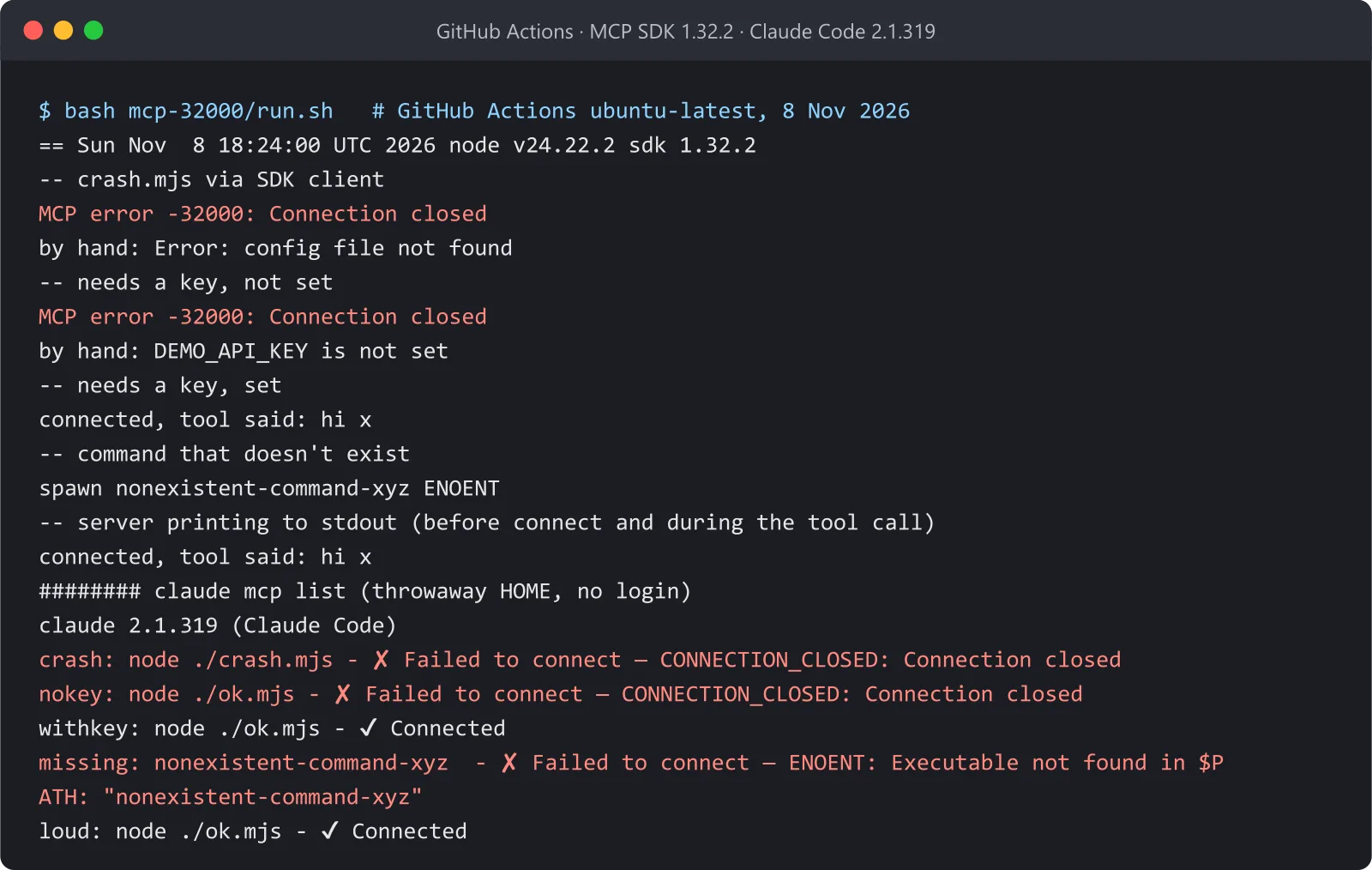
November 8, 2026: the same five servers again with SDK 1.32.2 and Claude Code 2.1.319, all results unchanged. claude mcp list now reports a missing command as ENOENT: Executable not found in $PATH, which at least names the problem (run 42509802062).
— N.K., end of entry No.030